Day 1 - Setup
1. Install Docker
Add Docker’s official GPG key:
sudo apt update
sudo apt install ca-certificates curl
sudo install -m 0755 -d /etc/apt/keyrings
sudo curl -fsSL https://download.docker.com/linux/debian/gpg -o /etc/apt/keyrings/docker.asc
sudo chmod a+r /etc/apt/keyrings/docker.asc
Add the repository to Apt sources:
sudo tee /etc/apt/sources.list.d/docker.sources <<EOF
Types: deb
URIs: https://download.docker.com/linux/debian
Suites: $(. /etc/os-release && echo "$VERSION_CODENAME")
Components: stable
Signed-By: /etc/apt/keyrings/docker.asc
EOF

sudo apt update
Install Docker packages:
sudo apt install docker-ce docker-ce-cli containerd.io docker-buildx-plugin docker-compose-plugin
Add yourself to the Docker group to run Docker commands without sudo:
sudo groupadd docker
sudo usermod -aG docker \$USER
newgrp docker
Note: You should reboot your computer after doing this to ensure group changes are fully applied.
2. Allow Docker to Access the X Server
To allow GUI applications (like grSim) to run from the Docker container, allow Docker to access the X server:
xhost +local:docker
To make it permanent, add it to the end of your ~/.bashrc:
echo "xhost +local:docker > /dev/null" >> ~/.bashrc
source ~/.bashrc
3. Build the Image
Build the container image with the simulator (grSim), Python code, C++ embedded tools, and Rust documentation tools. This might take a few minutes as it builds the environment from scratch, layer by layer (defined in the Dockerfile). Subsequent builds will be much faster.
docker build .
4. Run the Environment
The command to start the container is:
docker compose run --rm --name my_ssl dev
Check if the installation was correct by running the test script:
chmod +x test_env.sh
./test_env.sh
5. Local Documentation
To generate and serve the local documentation alongside your code, run:
mdbook serve ./docs
Then, open your browser and navigate to http://localhost:3000 to view the documentation.
6. Launching grSim
To run the simulator and other tools, open two terminals and attach them to the running container:
docker exec -it my_ssl /bin/bash
Then, inside the container, open grSim:
grSim
You should see this screen:
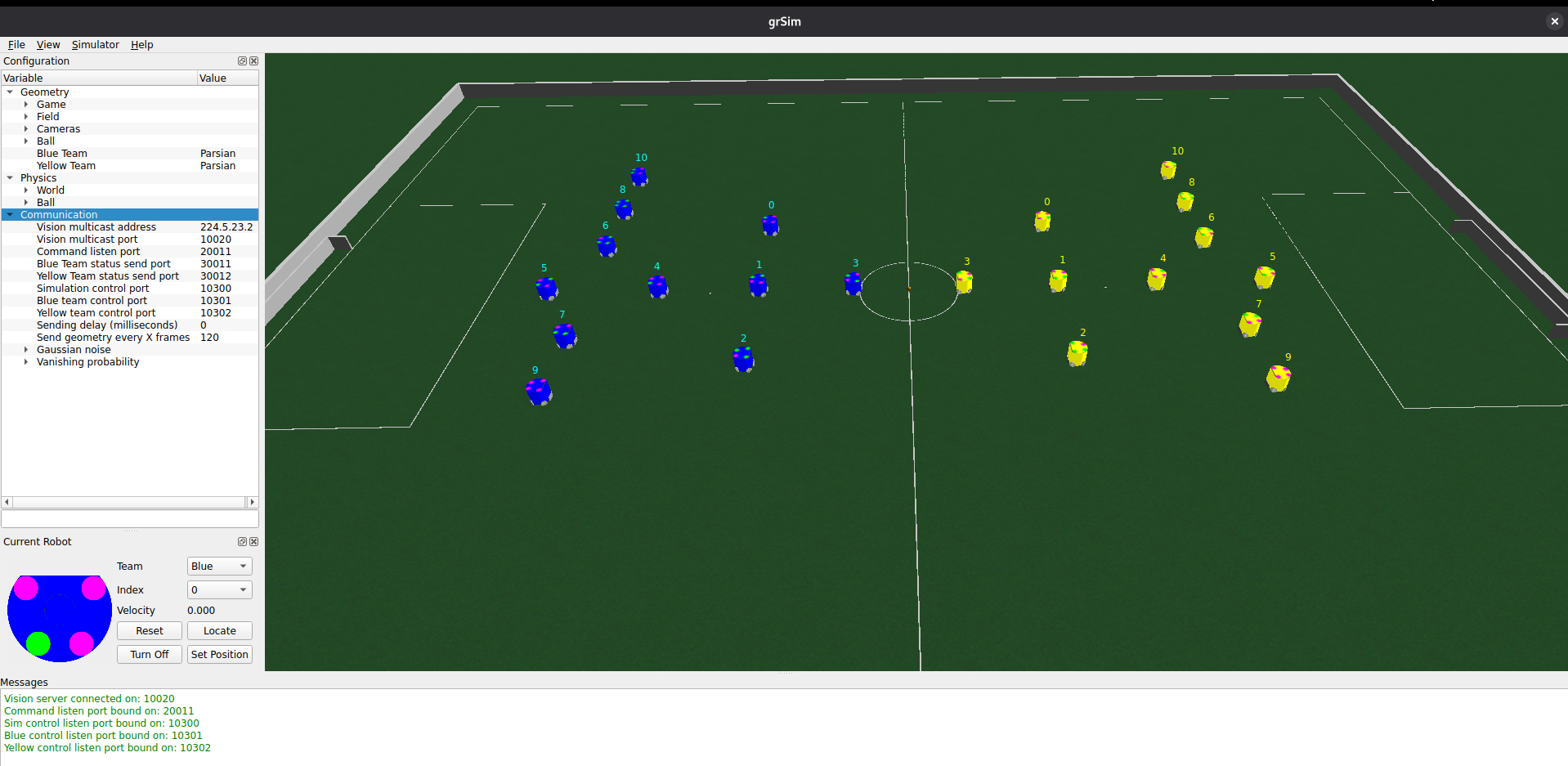 ⚠️ (If you don’t see it, try running
 xhost +local:docker in your host terminal first.)
Bravo! The setup is done. We will soon start creating our own strategies! You can now proceed to Day 2.